Understand a training report
See who changed, and what to check next.
Training → category coaching report
- Select the category and check the report date. Compare reports from the same category.
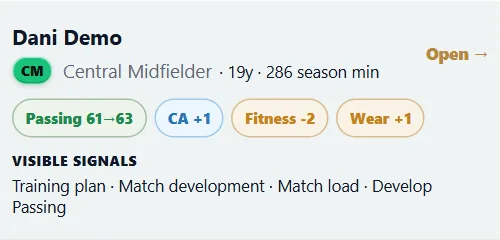
- Review the recorded skill, fitness and wear changes. Not every player improves in every cycle.
- Open a player’s report to see the changes and visible development factors.
- Use the report to decide whether to keep the plan, reduce load or give a player a different goal.
You can distinguish a skill gain from a change in physical condition.
Lower wear is better; a positive wear change means more wear, not better performance. The Academy’s Injury risk column is a separate rating of how injury-prone a player is, not today’s chance of injury.
Read training reports (Opens the game in a new tab. You may need to sign in first.)Opens the game in a new tab. You may need to sign in first.